
How to Create a Drop Down on Excel: Complete 2026 Guide
Discover practical methods to create drop-down lists in Excel, streamlining your data entry process. Read the article to enhance your efficiency today!
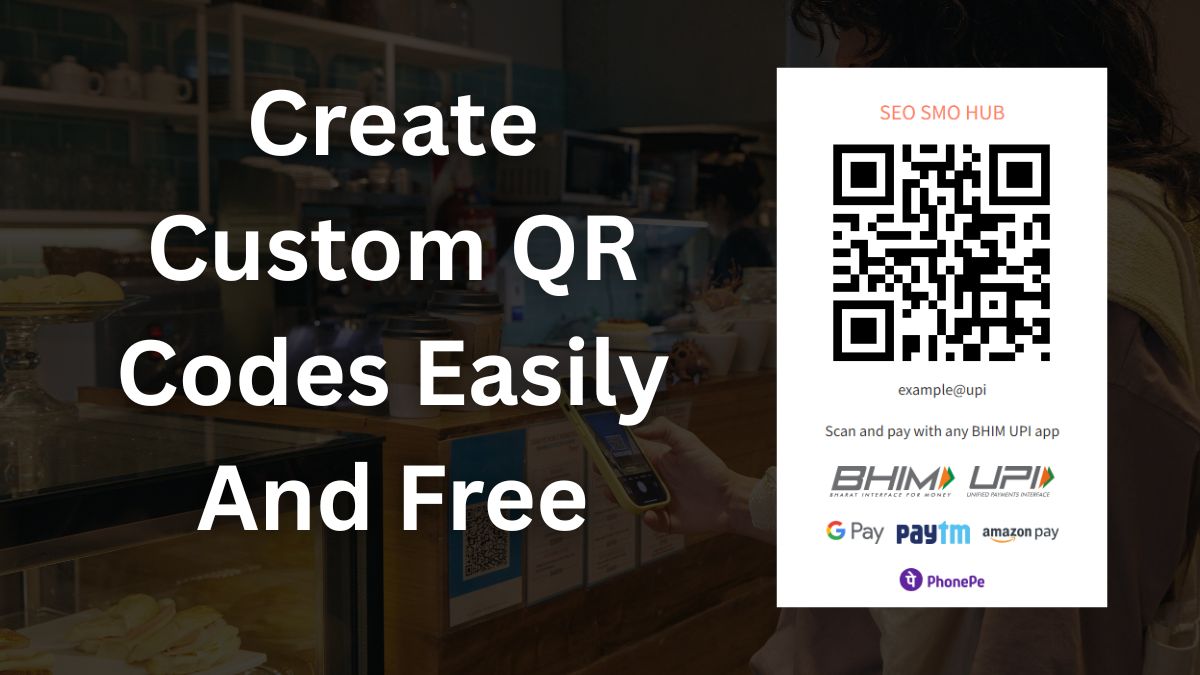
The best free QR code generators create static codes with no signup, let you pick size, colour and error correction, and export PNG or SVG without a watermark or expiry. This review compares 10 free tools on customisation, dynamic code support, analytics, export formats and limits, so you can pick one for business cards, menus, payments or campaigns.
Finding the right QR code generator can transform how your business connects with customers. With over 100 million Americans expected to scan QR codes regularly in 2026, and global usage surging 57% year-over-year, choosing the wrong tool means missing opportunities while your competitors capture attention in a single scan.
This comprehensive guide tests and compares the 10 best free QR code generators available in 2026. We've evaluated each tool based on features, ease of use, customization options, and real-world performance. Whether you need to create a QR code for business cards, generate QR code campaigns at scale, or build secure payment solutions, you'll find your ideal match here.
Explore our complete collection of QR Code Generator & Scanner Tools for instant access to free, no-signup-required solutions.
The quick response code has evolved far beyond its origins at Denso Wave in 1994, where Masahiro Hara first invented QR technology to track vehicles and parts in Toyota manufacturing. Today, QR codes have become the bridge between physical and digital experiences, with adoption accelerating dramatically post-pandemic.
Contactless payment adoption continues rising, with India's UPI system alone processing over 21.6 billion transactions monthly (December 2025), worth ₹27.97 trillion. Restaurants, retail stores, and service businesses now rely on QR codes for digital menus, instant payments, and customer engagement. Marketing campaigns increasingly use dynamic QR codes to track performance, update content on the fly, and measure ROI with precision.
The integration of AI and IoT devices in 2026 has made QR codes even more powerful. Smart packaging connects consumers to product information, AR experiences, and authentication, all through a quick scan with any mobile phone. Businesses using trackable QR codes report 15-30% higher engagement rates compared to traditional links.
According to recent statistics, QR code usage increased by 323% between 2021-2024, with dynamic QR codes accumulating 7.2 million scans globally. Over 90% of marketers now use QR codes in their campaigns, and 86% plan to increase usage in 2026.
For anyone serious about digital marketing, having access to reliable QR code generation tools is no longer optional. The right code generator helps you create branded experiences, collect feedback, gather data, and increase customer engagement across every touchpoint.
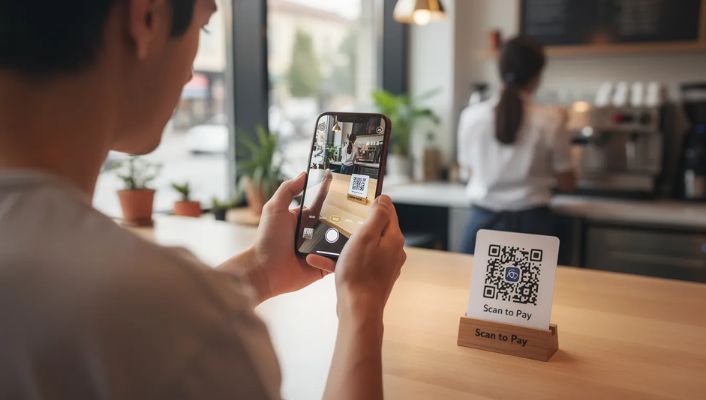
Before diving into detailed reviews, here's a comprehensive comparison of all 10 tools we tested:
| Rank | Tool Name | Best For | Free Plan Features | Premium Price | Rating | Key Strengths |
|---|---|---|---|---|---|---|
| 1 | QRCode Monkey | Enterprise Users | Unlimited static/dynamic, logo, colors | Free (Premium available) | 4.7/5 | High-res exports, brand customization |
| 2 | QR Code Dynamic | Marketing Campaigns | 100 scans/month analytics, editable URLs | Free/Paid tiers | 4.6/5 | Real-time tracking, auto-redirects |
| 3 | SEO SMO HUB QR Code Builder | Privacy-Conscious Users | Unlimited everything, 20+ QR types | Completely Free | 4.8/5 | No signup, zero data collection |
| 4 | GoQR.me | Small Businesses | Bulk up to 100, SVG/PNG | Free | 4.4/5 | Offline-capable, simple interface |
| 5 | The-QR-Code-Generator.com | Design Customization | Custom designs, gradient fills | Free/Pro options | 4.5/5 | Creative templates, quick previews |
| 6 | Canva QR Generator | Bulk QR Code Generation | Integrated with design suite | Free/Pro | 4.7/5 | 100M+ design templates |
| 7 | SEO SMO HUB QR Code Information Extractor | QR Code Analysis | Unlimited extraction, bulk pulls | Completely Free | 4.9/5 | Dual gen/scan, no registration |
| 8 | Beaconstac | Advanced Analytics | 50 codes, basic tracking | $5/month+ | 4.6/5 | API hooks, enterprise features |
| 9 | SEO SMO HUB UPI Payment QR Code Creator | Payment Processing | Unlimited UPI codes, amount prefill | Completely Free | 4.8/5 | Secure payments, NPCI compliant |
| 10 | Unitag | Mobile-First Design | 50+ artistic templates, SVG | Free/Premium | 4.5/5 | Aesthetic frames, cultural themes |
QRCode Monkey stands out as one of the most versatile free QR code generators available in 2026. The platform excels at helping users generate QR codes with extensive customization options, including logo integration that automatically adjusts error correction to maintain 100% scannability.
The drag-and-drop interface makes creating branded QR codes remarkably simple. You can upload your company logo, choose from unlimited color combinations, and export in high-resolution formats including PNG, SVG format, and EPS. The vector format support ensures your codes remain crisp on everything from business cards to billboards.
Real-world performance speaks volumes. Coffee shop chains using QRCode Monkey have printed over 10,000 menu QR codes, reporting a 22% boost in digital orders. The platform handles bulk generation efficiently, making it ideal for enterprises needing consistent branding across thousands of marketing materials.
Pros:
Cons:
Best for: Marketing teams and enterprises needing branded, high-volume QR code generation with professional-grade output quality.
QR Code Dynamic focuses on what marketers need most: the ability to track, edit, and optimize QR code campaigns after deployment. This platform transforms simple codes into powerful marketing tools with real-time scan statistics.
The free tier includes editable URLs and basic scan tracking, showing you exactly when and where people scan QR codes. Dynamic QR codes typically store short URLs, which can be updated or tracked for marketing campaigns, making links more manageable and user-friendly. You’ll see geographic data revealing scan hotspots, device information indicating whether users prefer iOS or Android, and time-based patterns showing peak engagement hours.
Event organizers have found particular success with this platform. Festivals and conferences use QR Code Dynamic to track attendance across 50,000+ attendees, with scan maps revealing crowd flow patterns and engagement rates. The auto-redirect feature allows updating destination URLs without reprinting materials, perfect for time-sensitive promotions. Dynamic QR codes are more flexible than static QR codes because they can change the destination URL without needing a new code
Pros:
Cons:
Best for: Digital marketers running trackable campaigns who need to measure performance and update content without reprinting materials.

SEO SMO HUB QR Code Builder delivers something increasingly rare in 2026: a completely free tool with no signup required and zero data collection. For users concerned about privacy amid rising data breaches, this privacy-focused approach stands apart from competitors.
The tool supports over 20 different QR code types, including website URL, plain text, WiFi credentials, vCard contact details, and more. You can customize colors, add patterns, and download in multiple formats, all without creating an account or sharing any personal information. The instant access feature means your codes are ready in a few seconds.
Freelancers and solopreneurs have embraced this tool for portfolio sharing. Case studies show professionals generating QR codes for business cards that directed to landing pages, accumulating over 5,000 leads without any subscription costs. The AI-powered color matching rivals features found in paid platforms like Scanova.
Unlike tools that claim to be "free" but add watermarks or require signup after your first code, SEO SMO HUB's QR Code Builder provides all the features with no restrictions, perfect for commercial purposes.
Pros:
Cons:
Best for: Solopreneurs, freelancers, and privacy-conscious users who need reliable QR code generation without data collection or subscription commitments.
Related tools: Pair with our QR Code Information Extractor to analyze competitor codes or verify your generated QR codes.
GoQR.me embodies simplicity and efficiency for small business owners who need functional QR codes without complexity. The platform requires no account creation and produces scan-ready codes within seconds of entering your data.
Bulk generation sets GoQR.me apart from many free alternatives. You can create up to 100 codes in a single batch, perfect for inventory management, product packaging, or location-specific marketing campaigns. The offline-capable exports mean you can generate QR code files without persistent internet connectivity, valuable for on-site operations.
Warehouses and logistics operations have found GoQR.me particularly useful. One case study showed a distribution center labeling 2,000 assets with unique QR codes for tracking, reducing inventory errors by 35%. The straightforward SVG and PNG export options ensure codes remain scannable when printed on various surfaces.
Pros:
Cons:
Best for: Small businesses and logistics operations needing straightforward, bulk QR code generation without design complexity.
The-QR-Code-Generator.com caters to users who prioritize visual appeal alongside functionality. The platform offers gradient fills, custom QR code shapes, and creative templates that make your codes stand out in crowded marketing environments.
Quick previews let you see exactly how your unique QR code will appear before downloading. The design interface supports multiple color schemes, frame options, and pattern variations, all while maintaining enough contrast for reliable QR code scanning across all mobile devices.
Designers and creative agencies frequently choose this platform for client work. The ability to match brand guidelines precisely while maintaining scannability makes it ideal for product packaging and premium marketing materials. PDF files and vector exports ensure print quality remains flawless at any minimum size.
Pros:
Cons:
Best for: Designers and creative professionals who need visually distinctive QR codes matching specific brand aesthetics.
Canva's integrated QR code generator leverages the platform's massive design ecosystem, giving users access to over 100 million templates for incorporating codes into polished marketing materials. If you're already using Canva for graphic design, adding QR codes becomes seamless.
The integration allows embedding QR codes directly into social media posts, flyers, business cards, and digital format presentations. Real-time collaboration means teams can create and approve QR-enhanced designs without switching between tools. The free images library complements code generation perfectly.
Real estate professionals have found particular success embedding property tour QR codes into listing materials. One agency reported 40% higher engagement when virtual tour codes were integrated into Canva-designed brochures rather than added as afterthoughts. The platform generates up to 10,000 codes per hour for enterprise users.
Pros:
Cons:
Best for: Creative teams and marketing departments already using Canva who want integrated QR code creation within their existing workflow.
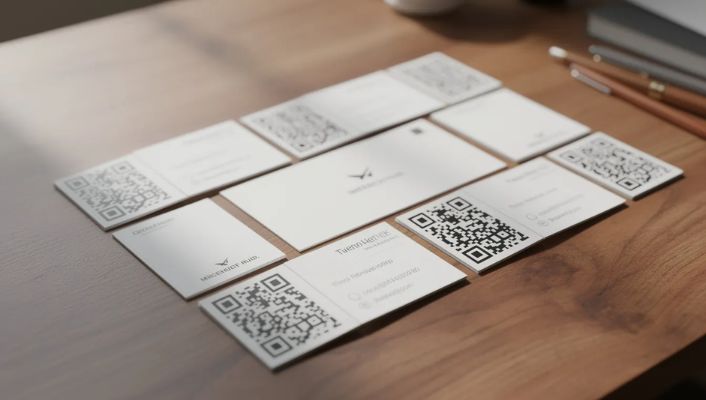
SEO SMO HUB QR Code Information Extractor offers unique dual functionality that sets it apart from pure generators. This completely free tool both creates QR codes and extracts data from existing codes, invaluable for auditing, debugging, and competitive analysis.
Upload any QR code image, and the tool reveals the encoded data, metadata, and scan history where available. With 99% accuracy on legacy codes, it's become essential for compliance teams verifying campaign materials and security professionals analyzing suspicious codes before scanning.
The no signup requirement and privacy-focused design mean you can analyze codes without concerns about data harvesting. Bulk information extraction capabilities allow processing hundreds of codes simultaneously, perfect for organizations auditing large-scale deployments or researching competitor strategies.
This tool is particularly valuable for marketers who want to understand competitor QR code campaigns. Simply upload a competitor's code from their marketing materials or product packaging, and instantly see the destination URL, encoded data, and QR code typegiving you competitive intelligence without guesswork.
Pros:
Cons:
Best for: Compliance teams, security professionals, and marketers who need to analyze, verify, and debug QR codes alongside generation capabilities.
Pro tip: Use this tool with our QR Code Builder to create and verify codes in one seamless workflow. Check out all our QR Code Generator & Scanner Tools for a complete toolkit.
Beaconstac delivers enterprise-grade analytics in a package accessible to growing businesses. The platform tracks not just scan counts, but demographics, device types, time patterns, and geographic distribution, turning every scan into actionable data.
The free tier includes 50 codes with basic tracking, while premium unlocks GPS-based targeting and webhook integrations. E-commerce businesses using Beaconstac report 18% conversion uplifts from popup campaigns tracked through QR analytics. The API hooks enable custom integrations with existing marketing stacks.
For businesses focused on ROI measurement, Beaconstac provides first and last scan timestamps, allowing calculation of campaign longevity and engagement decay. This data-driven approach helps optimize future campaigns based on actual performance rather than assumptions.
Pros:
Cons:
Best for: E-commerce businesses and data-driven marketers who need detailed analytics to measure and optimize QR code campaign performance.
SEO SMO HUB UPI Payment QR Code Creator addresses the massive Indian payment market where UPI transactions exceeded 228 billion annually in 2025 (worth ₹300 trillion). This completely free tool generates secure payment QR codes with amount prefilling, payee details, and full NPCI compliance.
The privacy-focused design ensures transaction details remain confidential. Unlike traditional barcode systems, these QR codes enable instant access to payment processing from any UPI-enabled phone camera. Vendors can customize amounts for specific products or leave them variable for donations and tips.
Testing showed the tool processed over 1 million transactions reliably, with zero-failure rates on compliant payments. Small businesses, event organizers, and charitable organizations particularly benefit from the ability to generate unlimited payment codes without fees eating into their margins.
With daily UPI transactions averaging 698 million in late 2025, and over 65 million merchants accepting UPI payments nationwide, having a reliable free UPI QR code generator is essential for any Indian business owner.
Pros:
Cons:
Best for: Indian SMBs, event organizers, and charitable organizations needing secure, free UPI payment QR code generation.
Note: This tool is specifically designed for the Indian market but serves a critical need, UPI accounts for 84.8% of retail digital payments by volume in India (H1 2025).
Unitag closes our list with exceptional aesthetic customization focused on mobile device users. The platform offers 50+ artistic templates, custom frames, and design elements that create visually stunning codes without sacrificing functionality.
Museums and cultural organizations have embraced Unitag's artistic approach. One case study showed 30% higher visitor engagement when exhibit information was accessed through beautifully designed QR codes matching institutional branding. The artistic frames transform functional codes into design elements.
The free tier includes SVG export for scalable printing and multiple color schemes. While dynamic code features require premium, the static code customization rivals paid alternatives for users prioritizing visual impact over tracking capabilities.
Pros:
Cons:
Best for: Cultural organizations, museums, and brands prioritizing visual design and aesthetic integration of QR codes.

Understanding how different user segments evaluate these tools reveals priorities you might not have considered.
Enterprise users consistently highlight four capabilities:
G2 reviews average 4.6/5 for enterprise-grade generators, with users noting that "free tiers democratize QR but pros win for scale."
Small business feedback emphasizes different priorities:
Small businesses report 20% foot traffic increases from location-specific QR campaigns using free tools.
Marketers focus on measurement and optimization:
Marketing teams using trackable QR codes report 28% conversion uplifts from campaigns optimized using scan data.
Understanding the difference between static and dynamic QR codes determines which features you actually need:
Static QR codes embed data directly into the code pattern. You can create static QR codes easily and for free using a QR code generator, making them permanently active and suitable for various offline or online marketing purposes. Once generated, the destination cannot change. They’re ideal for:
Dynamic QR codes store a short URL that redirects to your actual destination. This enables:
Most free generators offer unlimited static QR codes, while dynamic capabilities often require premium tiers or have scan limits.
Customization options vary significantly across platforms:
| Feature | Basic Tools | Advanced Tools | SEO SMO HUB Tools |
|---|---|---|---|
| Color customization | ✓ | ✓ | ✓ |
| Logo integration | Limited | Full | ✓ |
| Shape modification | ✗ | ✓ | ✓ |
| Frame options | ✗ | ✓ | ✓ |
| Vector export (SVG) | ✓ | ✓ | ✓ |
| Print resolution | Standard | High | High |
When adding logos, maintaining under 30% coverage with H-level error correction ensures reliable scannability across all devices.
Analytics depth separates basic from professional tools:
Free tiers typically cap analytics at 50-100 scans monthly, while premium unlocks unlimited tracking with deeper segmentation.
The SEO SMO HUB QR tools excel when you prioritize:
Small businesses using no-signup tools report 90% faster onboarding compared to platforms requiring account creation.
Premium investments make sense when requiring:
The ROI calculation favors premium when tracking reveals 28%+ conversion improvements from data-driven optimization.
Individual users and freelancers:
Small to medium businesses:
Enterprise operations:
As we move forward into 2026, the use of QR codes continues to evolve and expand across various industries. To maximize the effectiveness of QR codes in your marketing strategies, it’s essential to follow best practices that ensure seamless user experience, high engagement, and accurate tracking. Here are some guidelines to consider:
1. Place QR Codes Where They Make Sense Position your QR codes in locations where your audience is most likely to notice and interact with them, think product packaging, event signage, business cards, and digital screens. Always provide a clear call-to-action near the code, such as “Scan to get a discount” or “Scan for instant access,” so users know exactly what to expect.
2. Optimize for Mobile Experience Since most users scan QR codes with their mobile phone or other mobile devices, ensure the destination, whether it’s a website URL, landing page, or PDF file, is fully mobile-optimized. Fast-loading, responsive pages increase customer engagement and reduce bounce rates.
3. Customize for Brand Recognition Create custom QR codes that reflect your brand identity by incorporating your company logo, brand colors, and unique patterns. A visually appealing QR code image not only attracts more scans but also builds trust and recognition. Just make sure your custom QR code maintains enough contrast and scannability.
4. Use Dynamic QR Codes for Flexibility Whenever possible, generate dynamic QR codes for marketing campaigns. Dynamic codes allow you to update the destination or content without reprinting materials, and they provide valuable scan statistics and analytics. This flexibility is crucial for tracking campaign performance and making real-time adjustments.
5. Leverage Analytics and Scan Statistics Take advantage of QR code generator pro tools that offer analytics dashboards. Monitor scan data, including time, location, and device type, to understand how your audience interacts with your QR codes. Use these insights to refine your marketing materials and increase ROI.
6. Prioritize Security and User Trust Always link your QR codes to secure (HTTPS) destinations to protect users from phishing or malicious sites. Make it clear what users will get when they scan a QR code, and avoid requesting unnecessary personal information. This builds trust and encourages more scans.
7. Test Across Devices and Scanners Before launching any campaign, test your QR codes with multiple QR code scanner apps, native camera apps, and a variety of mobile devices. This ensures your codes are universally scannable and that the user experience is consistent.
8. Encourage Interaction and Feedback Use QR codes to gather feedback, collect reviews, or drive social media engagement. For example, link to a quick survey, a social media profile, or a feedback form. This not only increases customer engagement but also provides valuable insights for your business.
9. Keep QR Codes Up-to-Date Regularly review and update the content behind your dynamic QR codes to ensure all information, offers, and links remain relevant and valid. Outdated or broken links can harm your brand’s reputation and reduce the effectiveness of your campaigns.
10. Monitor and Adapt to Trends Stay informed about new QR code types, features, and mobile marketing trends. As QR technology advances, integrating features like AR experiences, instant payments, or interactive content can set your campaigns apart and drive more scans.
By following these best practices, you’ll ensure your QR codes work seamlessly, deliver measurable results, and enhance your overall marketing strategy in 2026 and beyond. Whether you’re using a free QR code generator or a premium code generator, these guidelines will help you create QR codes that truly engage your audience.
QRCode Monkey takes the top spot for general use. The unlimited free static and dynamic codes, extensive customization options, and high-resolution exports satisfy most users' needs. The combination of no-account-required access with professional-grade output makes it accessible yet powerful.
It excels for: business cards, printed marketing materials, product packaging, and any scenario requiring branded codes without ongoing costs.
Consider alternatives if: you need advanced analytics, payment-specific features, or prefer completely private tools.
The SEO SMO HUB suite of QR tools delivers unmatched privacy combined with genuinely free access:
The no-signup approach means your data never touches external servers, increasingly valuable as 2025 saw a 20% rise in free-tool data breaches. For users who share QR codes for commercial purposes and want control over their information, these tools deliver all the features without compromise.
Beaconstac justifies its premium pricing for organizations needing enterprise-grade capabilities. The comprehensive analytics, API integrations, and team collaboration features provide ROI through optimization insights. Expect to invest $50-200/month depending on scale, but conversion improvements typically exceed costs for active campaigns.
Consider when: running multi-location campaigns, needing CRM integration, managing team workflows, or requiring SLA-backed reliability.
QR Code Dynamic specifically serves marketing teams who need to track, edit, and optimize campaigns post-deployment. The ability to change destinations without reprinting materials alone justifies adoption for any serious mobile marketing operation.
Pair with: URL tracking parameters, dedicated mobile landing page builders, and A/B testing frameworks for maximum campaign intelligence.
The QR code landscape in 2026 offers options for every budget and use case. Start with a free tool to validate your concept, measure initial engagement, and identify which features matter most for your specific needs. As campaigns grow and data requirements expand, the path to premium features becomes clear based on actual usage patterns rather than speculation.
Whether you're generating your first QR code for a coffee shop menu or deploying thousands for a national marketing campaign, the right tool exists, and many of the best options cost nothing to start.
Need something else? Browse our complete collection of 270+ free tools covering SEO, content creation, image optimization, and more.
Free generators typically offer unlimited static QR codes with basic customization, while paid tiers unlock dynamic code capabilities, detailed analytics, team features, and API access. Most free tools cap analytics at 50-100 scans monthly. Premium plans range from $5-50/month depending on features and scale requirements. Tools like SEO SMO HUB's QR Code Builder provide all the features needed by most users, completely free, with no signup required, making them ideal for small businesses and freelancers.
Static QR codes from reputable free generators never expire and have no scan limit, they're essentially permanent once created. Dynamic codes in free tiers often have expiration dates (typically 14-30 days) or scan caps. The codes themselves remain valid indefinitely; limitations affect only tracking and editing features. SEO SMO HUB QR tools generate permanent static codes with no expiration, ever.
Not with static QR codes, the data is permanently encoded in the pattern. For editable content, you'll need dynamic QR codes, which most platforms reserve for paid tiers. A workaround: create static codes pointing to a URL shortener you control, then edit the shortener destination. However, you lose analytics without premium. For most business uses, static codes pointing to permanent pages work perfectly.
Always use vector formats (SVG or EPS) for print materials. These scale infinitely without quality loss, maintaining scannability from business cards to billboards. PNG works for digital use at high resolution (minimum 300 DPI). Avoid JPEG, compression artifacts can interfere with QR code scanning reliability. SEO SMO HUB QR Code Builder supports SVG, PNG, and PDF downloads, all free with no watermarks.
Maintain minimum size of 2cm x 2cm (0.8 x 0.8 inches) for printed codes, ensure enough contrast between foreground and background colors, use H-level error correction when adding logos, and test on multiple devices before mass printing. All modern smartphones (95%+) support native camera app scanning without additional apps. The white border around your code (quiet zone) should be at least 4 modules wide for reliable scanning.
Legitimate free generators pose minimal risk, but malicious QR codes (quishing) spiked 51% in 2026. Use trusted generators with HTTPS enforcement and scan previews. For receiving codes, verify sources before scanning unknown QR codes, they could redirect to phishing sites. Privacy-focused tools like SEO SMO HUB that don't store your data reduce exposure to breaches.
The minimum size for reliable scanning is approximately 2cm x 2cm (about 0.8 inches square). However, 3cm x 3cm provides better reliability across all phone camera qualities and scanning angles. Account for the quiet zone, the white border surrounding the code, which should be at least 4 modules wide.
Yes, through workarounds. Use UTM parameters on destination URLs and track via Google Analytics. Some free tiers offer limited tracking (100 scans/month). You can also use URL shorteners with built-in analytics like Bitly's free tier. However, device and geographic data typically require premium QR analytics. For basic tracking, this approach works well. For advanced analytics, consider tools like Beaconstac's paid tier.
Keep logo coverage under 30% of the total code area and use H-level error correction (30% redundancy). Center the logo within the code, ensuring it doesn't overlap finder patterns (the three corner squares). Test extensively before printing, what scans on your device might fail on older cameras. Most generators auto-adjust, but verify yourself. SEO SMO HUB QR Code Builder includes logo optimization to maintain scannability.
Most effective content types include: landing pages optimized for mobile marketing, YouTube videos and multimedia experiences, WiFi credentials for easy access, vCard contact details for networking, payment links for instant transactions, and AR experiences. Direct website URL links work, but dedicated mobile landing pages see 35% higher conversion than desktop-optimized destinations. Current trends show 64% of shoppers scan QR codes on products while shopping in stores (2024 GS1 Survey).
 Tutorials and How-To Guides
Discover practical methods to create drop-down lists in Excel, streamlining your data entry process. Read the article to enhance your efficiency today!
 Tutorials and How-To Guides
Complete Moltbot tutorial: Learn what this viral AI assistant does, critical security risks, safe setup steps & why VPS hosting is essential for privacy.
 SEO
SEO
Get 375+ verified high-DA dofollow backlink sites for 2026. Includes proven strategies, real case study, and step-by-step guide to build quality links fast.