
How to Create a Drop Down on Excel: Complete 2026 Guide
Discover practical methods to create drop-down lists in Excel, streamlining your data entry process. Read the article to enhance your efficiency today!
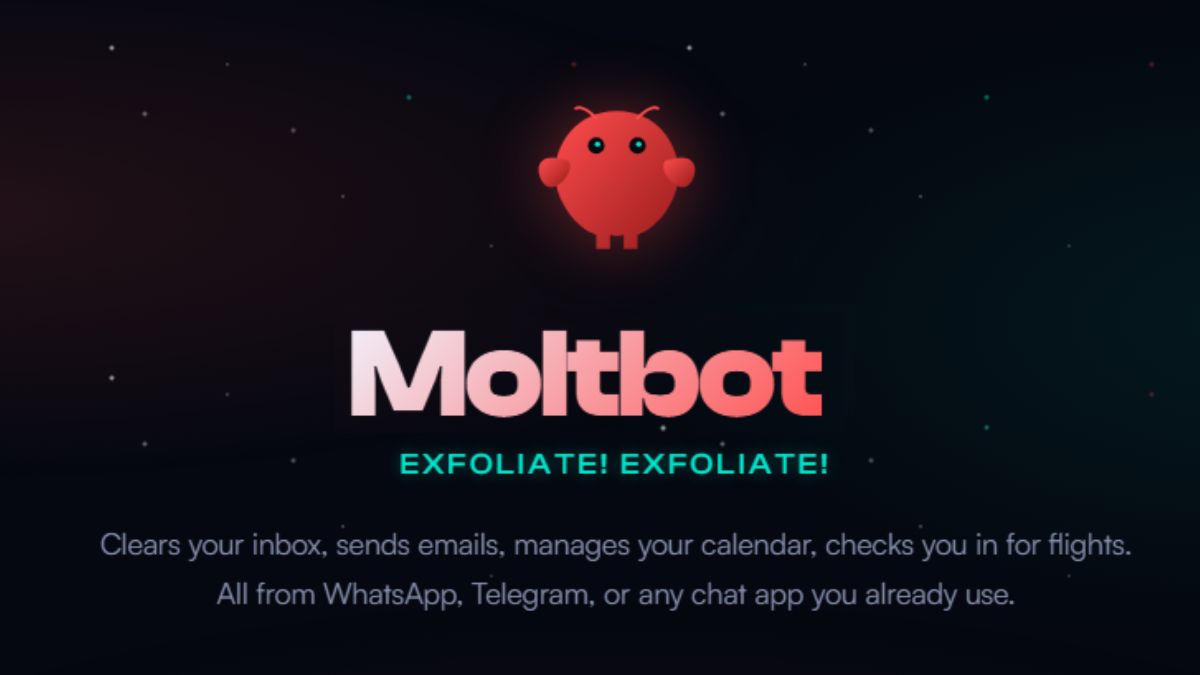
Moltbot (formerly Clawdbot) is an open-source personal AI assistant that runs on your own machine and can read messages, browse and act on your behalf. Its fast rise in January 2026 came with serious security findings: exposed control panels, prompt injection and credential theft. This guide covers what it does, the risks, a safe setup and why isolated VPS hosting matters.
Breaking News: A personal AI assistant is breaking the internet in January 2026, and it's not from Google, OpenAI, or Anthropic. Moltbot (formerly Clawdbot) exploded to over 68,000 GitHub stars in just 72 hours, sparked a run on Apple Mac Minis, and has tech Twitter buzzing with both excitement and alarm. But before you jump on the trend, there are critical security issues you absolutely need to know about.
This comprehensive guide covers everything: what Moltbot is, why it's gone viral, the serious security vulnerabilities researchers have discovered, how to set it up safely, and why choosing the right hosting solution could be the difference between AI productivity and a data breach nightmare.
Unlike ChatGPT or Gemini, which require you to copy-paste their answers into other apps, Moltbot is an AI agent that autonomously performs tasks on your behalf. Created by Austrian engineer Peter Steinberger (founder of PSPDFKit), Moltbot runs 24/7 on your own hardware and connects directly to your existing messaging apps.
Here's what makes Moltbot different:
Real-world examples from early adopters:
Tech influencers are calling it "the closest thing to JARVIS we've seen" and "a glimpse at AGI for personal productivity." Federico Viticci, founder of MacStories, used 180 million tokens in one monthtestament to how deeply users integrate Moltbot into their daily workflows.
If you've heard both names and are confused: Clawdbot and Moltbot are the same project. Here's what happened:
Original Name (2025-Jan 2026): "Clawdbot" with mascot "Clawd" (a space lobster inspired by the crustacean that appears when reloading Claude Code, Anthropic's coding assistant)
The Problem: As Clawdbot went viral, Anthropic noticed the name similarity to their flagship product "Claude" and sent a trademark request
The Rebrand (January 27, 2026): Steinberger quickly renamed the project to "Moltbot"a clever reference to lobsters "molting" (shedding their shells to grow). The mascot Clawd became "Molty"
Crypto Scam Alert: During the transition, scammers hijacked the old @clawdbot social media handles and promoted fake cryptocurrencies ($CLAWD, $MOLT tokens). There is NO official Moltbot cryptocurrency. Peter Steinberger has publicly stated he has not launched any coins. Any crypto promotions using these names are 100% scams.
Despite the name change, the mission remains identical: an AI assistant that actually executes tasks, not just suggests them.
While Moltbot's capabilities are revolutionary, security researchers have identified serious vulnerabilities that have already led to data breaches. Here are the risks you must understand:
The Problem: Security researcher Jamieson O'Reilly conducted internet-wide scans and found hundreds of Moltbot deployments publicly accessible with no authentication. SlowMist security firm confirmed this in their January 27, 2026 advisory.
What's Exposed:
Root Cause: Moltbot's default configuration trusts localhost connections. When users deploy behind reverse proxies (like Nginx), the proxy's IP appears as localhost to Moltbot, making external attackers appear "local."
Real Attack Example: Matvey Kukuy (CEO of Archestra AI) extracted a private key from an exposed Moltbot server via prompt injection in under 5 minutes.
The Problem: Moltbot stores all credentials in unencrypted plaintext files in the ~/.clawdbot/ directory. This includes:
Why This Matters: Security firm Hudson Rock warns that commodity infostealers (RedLine, Lumma, Vidar malware) are already adapting to target Moltbot's credential storage. If your computer gets infected with any malware, attackers instantly have access to all connected accounts.
Quote from 1Password Security Team: "A single stolen API token is bad. Hundreds of stolen tokens and sessions for the critical services in your life is worse. But add a long-term memory file that describes who you are, what you're building, how you write, who you work with, that's the raw material needed to phish you, blackmail you, or fully impersonate you."
The Problem: Moltbot's extensibility comes from community-built "skills" installed from ClawdHub (now MoltHub). Researcher Jamieson O'Reilly conducted a proof-of-concept attack:
Cisco's Security Analysis: They tested a vulnerable skill called "What Would Elon Do?" against Moltbot and found 9 security issues including 2 critical vulnerabilities. The skill explicitly instructed Moltbot to exfiltrate data via curl commands to attacker-controlled servers.
The Risk: 26% of 31,000 analyzed agent skills contain at least one vulnerability. Skills inherit full agent permissions, if Moltbot has shell access, every skill has shell access with no sandboxing.
The Problem: When Moltbot processes emails, documents, or web content, malicious instructions embedded in that content can influence its behavior.
Attack Scenario Example:
Real Incident: Intruder Security documented Moltbot instances connected to X (Twitter) leaking private information when external users crafted specific prompts in replies.
Shocking Statistic: Token Security reports that 22% of their enterprise customers have employees actively using Moltbot, likely without IT approval.
The Corporate Risk:
Palo Alto Networks Warning: Wendi Whitmore (Chief Security Intelligence Officer) calls AI agents like Moltbot "the new era of insider threats" because they're trusted to carry out tasks autonomously while being attractive targets for attackers.
Google Cloud's Heather Adkins: "My threat model is not your threat model, but it should be. Don't run Clawdbot."
Security Consultant Yassine Aboukir: "How could someone trust that thing with full system access?"
The Register's Assessment: "Clawdbot represents the future of personal AI, but its security posture relies on an outdated model of endpoint trust. Without encryption-at-rest or containerization, the 'Local-First' AI revolution risks becoming a goldmine for the global cybercrime economy."
Gizmodo's Take: "Everyone Really Needs to Pump the Brakes on That Viral Moltbot AI Agent"
Despite the risks, Moltbot can be used safely with proper precautions. Here's the security-first setup guide that most tutorials skip:
DON'T: Run Moltbot on your primary computer
DO: Use dedicated, isolated hosting
Recommended Options:
Option 1: Dedicated Mac Mini (Most Popular)
Option 2: VPS (Virtual Private Server) – RECOMMENDED FOR MOST USERS
After testing multiple VPS providers, Hostinger's KVM VPS 2 plan offers the best balance of performance, security, and affordability for running Moltbot:
Hostinger KVM VPS 2 Specifications:
Security Advantages Over Shared Hosting:
Cost Comparison (Annual):
Get Started with Hostinger KVM VPS 2:  Click here to set up your secure Moltbot hosting environment (Use code GRABITTODAY for additional savings)
Important Note on Indian Users: Hostinger has India-specific data centers (Mumbai, Delhi) which means lower latency for messaging apps and compliance with local data residency requirements. If you're in India, this is particularly advantageous.
Once you have your VPS, secure it BEFORE installing Moltbot:
2.1: Update System Packages
sudo apt update && sudo apt upgrade -y
sudo apt install ufw fail2ban -y
2.2: Configure Firewall (UFW)
# Allow SSH (change 22 to your custom port if you changed it)
sudo ufw allow 22/tcp

# Allow Moltbot gateway port (loopback only - more on this later)
# We'll configure this after Moltbot installation

# Enable firewall
sudo ufw enable
sudo ufw status
2.3: Create Non-Root User for Moltbot
# Create dedicated user
sudo adduser moltbot

# Add to sudo group if needed
sudo usermod -aG sudo moltbot

# Switch to new user
su - moltbot
2.4: Set Up SSH Key Authentication (Disable Password Login)
# On your LOCAL computer, generate SSH key if you don't have one:
ssh-keygen -t ed25519 -C "[email protected]"

# Copy public key to server:
ssh-copy-id moltbot@your_vps_ip

# Test SSH key login works, then disable password auth:
sudo nano /etc/ssh/sshd_config

# Change these lines:
# PasswordAuthentication no
# PermitRootLogin no

sudo systemctl restart sshd
3.1: Install Node.js (Moltbot requires Node ≥ 22)
# Install NVM (Node Version Manager)
curl -o- https://raw.githubusercontent.com/nvm-sh/nvm/v0.39.7/install.sh | bash

# Restart shell
exec bash

# Install Node.js 22
nvm install 22
nvm use 22
node --version  # Should show v22.x.x
3.2: Install Moltbot
# Install globally
npm install -g moltbot@latest

# Verify installation
moltbot --version
3.3: Run Onboarding Wizard (SECURITY-FOCUSED)
# Start onboarding
moltbot onboard --install-daemon
During Onboarding - CRITICAL SECURITY CHOICES:
--bind 127.0.0.1 (localhost only) - NEVER bind to 0.0.0.04.1: Restrict Gateway Access (MOST IMPORTANT)
Edit your Moltbot configuration:
nano ~/.clawdbot/moltbot.json
Ensure these settings:
{
  "gateway": {
    "bind": "127.0.0.1",  // NEVER 0.0.0.0
    "port": 18789,
    "token": "YOUR_STRONG_RANDOM_TOKEN_HERE"
  },
  "channels": {
    "whatsapp": {
      "allowFrom": ["+91XXXXXXXXXX"],  // YOUR phone number only
      "groups": {
        // Leave empty or set specific group IDs only
      }
    }
  }
}
4.2: Encrypt Credentials at Rest
Moltbot stores credentials in plaintext by default. Add encryption:
# Install encryption tool
sudo apt install ecryptfs-utils -y

# Encrypt the credentials directory
# (Requires password - use a strong passphrase from password manager)
ecryptfs-migrate-home -u moltbot
Better Option: Use a secrets management tool:
# Install pass (password store)
sudo apt install pass -y

# Store API keys securely
pass insert moltbot/anthropic_key
pass insert moltbot/openai_key

# Retrieve in scripts:
# export ANTHROPIC_API_KEY=$(pass show moltbot/anthropic_key)
4.3: Set File Permissions Correctly
# Restrict config directory to user only
chmod 700 ~/.clawdbot
chmod 600 ~/.clawdbot/*.json
chmod 600 ~/.clawdbot/credentials/*
4.4: Enable Docker Sandbox Mode (Recommended)
Moltbot offers Docker sandboxing to limit what the agent can access:
# Install Docker
curl -fsSL https://get.docker.com -o get-docker.sh
sudo sh get-docker.sh
sudo usermod -aG docker moltbot

# Configure Moltbot to use Docker sandbox
# (Edit moltbot.json and add sandbox configuration)
4.5: Implement Monitoring & Logging
# Monitor Moltbot logs for suspicious activity
tail -f ~/.clawdbot/logs/gateway.log

# Set up automated alerts for failed auth attempts
sudo apt install logwatch -y

# Configure fail2ban to block brute force attempts
sudo systemctl enable fail2ban
sudo systemctl start fail2ban
4.6: Regular Backup Strategy
# Create backup script
cat > ~/backup-moltbot.sh << 'EOF'
#!/bin/bash
BACKUP_DIR=~/moltbot-backups
DATE=$(date +%Y%m%d-%H%M%S)

mkdir -p $BACKUP_DIR
tar -czf $BACKUP_DIR/moltbot-$DATE.tar.gz ~/.clawdbot/
find $BACKUP_DIR -mtime +7 -delete  # Keep only last 7 days
EOF

chmod +x ~/backup-moltbot.sh

# Run daily via cron
crontab -e
# Add: 0 2 * * * ~/backup-moltbot.sh
5.1: Verify Gateway is NOT Publicly Accessible
# From your LOCAL computer (not the server), try to access the gateway:
curl http://YOUR_VPS_IP:18789

# This should FAIL or timeout - that's good!
# If it connects, your gateway is exposed - FIX IMMEDIATELY
5.2: Test Moltbot Functionality
5.3: Security Audit Checklist
SAFE to Connect:
NEVER Connect:
Before installing ANY skill from the MoltHub library:
Recommended Safe Skills for Beginners:
Remember the user who woke up to a $200 bill? Here's how to avoid that:
Set API Usage Limits:
Optimize Token Usage in Moltbot Config:
{
  "models": {
    "anthropic": {
      "maxTokens": 4096,  // Limit response length
      "temperature": 0.7   // Lower = more predictable costs
    }
  },
  "messages": {
    "maxContextMessages": 20  // Limit history sent with each prompt
  }
}
Monitor Daily Spending:
# Check Moltbot usage logs
grep "tokens used" ~/.clawdbot/logs/gateway.log | tail -50

# Calculate approximate daily cost:
# Claude Sonnet: $3 per 1M input tokens, $15 per 1M output tokens
# GPT-4 Turbo: $10 per 1M input tokens, $30 per 1M output tokens
Federico Viticci's Experience: He used 180 million tokens in one month, which at Claude Sonnet rates could cost $500-800. This is sustainable for businesses but expensive for individuals. Plan accordingly.
1Password's security team documented the smartest Moltbot deployment they've seen:
Why This Works: If Moltbot is compromised, attackers only access a sandboxed environment with limited credentials, not your entire digital life.
Use a VPN or Tailscale:
# Install Tailscale for secure remote access
curl -fsSL https://tailscale.com/install.sh | sh
sudo tailscale up

# Configure Moltbot to only listen on Tailscale IP
# This way it's NEVER exposed to the public internet
Implement Rate Limiting:
# Use fail2ban to block repeated failed auth attempts
sudo nano /etc/fail2ban/jail.local

# Add Moltbot protection:
[moltbot]
enabled = true
port = 18789
filter = moltbot
logpath = /home/moltbot/.clawdbot/logs/gateway.log
maxretry = 3
bantime = 3600
If deploying Moltbot in a business context:
Despite the security concerns, Moltbot genuinely shines in specific scenarios:
1. Personal Productivity Automation
2. Development Workflow Enhancement
3. Content Creation Pipeline
4. Smart Home Coordination
Comparison Table:
| Feature | Moltbot | ChatGPT | Google Gemini | Microsoft Copilot |
|---|---|---|---|---|
| Proactive actions | ✅ Yes | ❌ No | ❌ No | ✅ Limited |
| Persistent memory | ✅ Unlimited | ✅ Limited | ✅ Limited | ✅ Limited |
| Local execution | ✅ Yes | ❌ No | ❌ No | ❌ No |
| Shell access | ✅ Yes | ❌ No | ❌ No | ❌ No |
| Multi-app integration | ✅ 50+ native | ✅ Via plugins | ✅ Google Workspace | ✅ Microsoft 365 |
| Cost (monthly) | $20-50 (API) | $20 (Plus) | $20 (Advanced) | $20 (Pro) |
| Privacy | ✅ Full control | ❌ Cloud-based | ❌ Cloud-based | ❌ Cloud-based |
| Setup complexity | ⚠️ High | ✅ Easy | ✅ Easy | ✅ Easy |
| Security risk | ⚠️ High (if misconfigured) | ✅ Low | ✅ Low | ✅ Low |
When to Choose Moltbot:
When to Choose Alternatives:
Moltbot represents a fundamental shift in how we interact with AI, from "asking questions" to "delegating tasks." Here's what this means for the future:
1. Autonomy vs. Control: How much should AI decide without asking? Where's the line between helpful and creepy?
2. Liability: If your AI agent sends an offensive email or makes a bad financial decision, who's responsible, you or the AI?
3. Human Connection: As Jung-Hua Liu notes in his Moltbot analysis: "This epitomizes the dual nature of modern AI: it can enhance our capabilities while also posing new questions about autonomy, privacy, and what it means to be connected."
4. Digital Divide: Will AI agents increase inequality? (Only technical users or wealthy individuals can afford/operate them safely)
Moltbot represents a glimpse into the future of AIwhere assistants don't just converse but genuinely act as digital employees. The vision is compelling: an AI that manages your inbox, coordinates your calendar, monitors your projects, and proactively helps you stay productive.
However, this power comes with serious responsibility. The same capabilities that make Moltbot revolutionary (system access, persistent memory, autonomous action) also make it a significant security risk if misconfigured.
Our Recommendation:
The Path Forward: Moltbot is an experiment, not a finished product. It's a preview of what's coming, and a reminder that the AI revolution will require new security paradigms, regulatory frameworks, and user education.
If you decide to proceed, start small: Connect only non-sensitive accounts, use Docker sandboxing, deploy on isolated infrastructure (like Hostinger's KVM VPS), and gradually expand as you build trust and expertise.
Most importantly: Stay informed. Moltbot's security landscape changes daily. Follow the official GitHub repository, join the Discord community, and monitor security researchers' findings. The tool that breaks the internet today may be tomorrow's cautionary tale, or the foundation of something transformative.
What's your take on Moltbot? Will you try it, or wait for safer alternatives? Share your thoughts in the comments below!
Moltbot can be safe IF properly configured with security hardening. However, the default setup has serious vulnerabilities. You must implement firewall rules, authentication tokens, sandboxing, and encrypted credential storage. For non-technical users, the security risks may outweigh the benefits. Consider using a VPS with professional security rather than your personal computer.
Moltbot itself is free (open-source). However, you pay for: (1) AI API usage ($20-50/month for Claude or OpenAI depending on usage) (2) Hosting ($0 if running on existing hardware, or $6-15/month for VPS) (3) Optional services (Notion, calendar apps, etc.). Total typical cost: $25-65/month. Heavy users like Federico Viticci report 180 million tokens/month which can reach $500-800 in API costs.
No, you cannot run the Moltbot server on a smartphone. You must install it on a computer (Mac, Linux, Windows via WSL2) or VPS. However, once installed, you INTERACT with Moltbot through your phone using WhatsApp, Telegram, or other messaging apps. Think of it as: server runs on computer, you chat with it on phone.
NO. There is NO official Moltbot cryptocurrency. Any tokens called $CLAWD, $MOLT, or similar are SCAMS. Creator Peter Steinberger has explicitly stated he has not launched any crypto. Scammers hijacked the old Clawdbot social media handles during the rename to promote fake coins. Do not invest money in these scams.
ChatGPT is a conversational AI that answers questions and generates text, you must copy-paste its outputs into other apps. Moltbot is an autonomous agent that TAKES ACTION on your behalf: it can send emails, create calendar events, run terminal commands, control your browser, and more. Moltbot is also self-hosted (runs on your hardware) while ChatGPT is cloud-based. Think: ChatGPT = smart assistant that talks, Moltbot = robot assistant with hands.
Anthropic (makers of Claude AI) requested a name change due to trademark concerns"Clawd" was too similar to "Claude." The creator rebranded to "Moltbot" (inspired by lobsters molting/shedding shells to grow). All functionality remains the same; only the name changed.
Technically yes, but proceed with extreme caution. 22% of enterprises have employees using Moltbot without IT approval, according to Token Security. However, corporate deployment requires: (1) IT security review (2) Compliance with data policies (GDPR, HIPAA, etc.) (3) Containerization and sandboxing (4) Penetration testing (5) Incident response plan. Most businesses should wait for enterprise-grade alternatives with vendor support and SLAs rather than deploying the community version.
Five critical risks: (1) Exposed gateways - hundreds of instances are publicly accessible without authentication (2) Plaintext credentials - API keys and passwords stored unencrypted, vulnerable to malware (3) Malicious skills - supply chain attacks through community plugins, 26% contain vulnerabilities (4) Prompt injection - malicious instructions in emails/documents can hijack the agent ( 5) No sandboxing by default - agent has full system access like the user. See our security hardening guide above for mitigation strategies.
No, we strongly recommend against this. Use a dedicated Mac Mini or VPS instead. If Moltbot is compromised on your primary computer, attackers gain access to all your personal files, photos, documents, and saved credentials. The "separate machine" approach (recommended by 1Password) creates isolation, compromising Moltbot doesn't compromise your entire digital life. A VPS like Hostinger KVM VPS 2 costs ~$8/month and provides professional security infrastructure.
 Tutorials and How-To Guides
Discover practical methods to create drop-down lists in Excel, streamlining your data entry process. Read the article to enhance your efficiency today!
 Tutorials and How-To Guides
Learn how to connect Google Cloud Storage to n8n workflows. Complete setup guide with OAuth2 configuration, bucket creation, and automation examples.
 Tutorials and How-To Guides
Learn how to set up Redis as your n8n storage database. Step-by-step configuration guide with screenshots, troubleshooting tips, and best practices for 2026.